Cantonese · Jyutping

Cantonese Keyboard.

Type Chinese characters with Jyutping. Enter Cantonese sounds and choose the word you need.

Free to useNo accountNo installation
Advertisements
Loading keyboard…
0

Text style

Applies to all your text and to Word and image downloads.

Style
Automatic
Text direction
A quick start

Start typing with Cantonese

  1. Enter a Cantonese reading

    Click Input code and type nei5hou2. Use Jyutping letters with tone numbers, or try a tone-free code such as neihou.

  2. Choose a character or phrase

    Click the intended candidate. With the caret at the end of the code, Space chooses the first result and Alt+1 through Alt+5 choose the numbered results.

  3. Finish your message

    Continue with the next word, revise the editor text, then use Copy text, Save Word, or Save image.

From the blogHow to type Cantonese greetings with Jyutping Read the guide
Cantonese sounds, written words

Cantonese keyboard.

Turn Cantonese Jyutping into Chinese characters.

Enter a Cantonese reading in the Input code box to find Chinese characters and phrases. Use the on-screen keys or your physical keyboard, then choose the candidate that matches what you want to say.

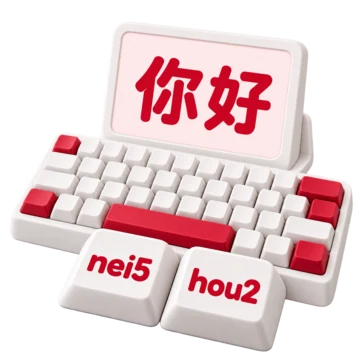
Try nei5hou2 for 你好. You can also start with neihou without tone numbers. Build your message in the editor, then copy it or save a document or image.

Enter nei5hou2, then choose 你好 from the candidates.
See it in action Type a Cantonese greeting Include the tone numbers, open the full candidate list, and save a greeting as an image. English narration & captions Watch video

Type a Cantonese greeting

Download video (MP4)English narration & captions

Use Jyutping with or without numbers

Enter a complete numbered reading such as nei5hou2, or begin with the tone-free spelling neihou.

How Cantonese input codes are read

Tone numbers belong after their syllables in numbered Jyutping. The keyboard keeps number keys as input, so typing the 5 in nei5 does not accidentally select the fifth candidate.

The dictionary includes numbered readings and tone-free codes. Both nei5hou2 and neihou offer 你好. Coverage depends on the dictionary entry; removing tones may give you a broader set of choices.

Uppercase and lowercase letters use the same lookup. Spaces and apostrophes in pasted codes are ignored. When typing interactively, Space can select the first candidate, so enter nei5hou2 as one continuous code when you want the whole phrase.

Browse words without stretching the keyboard

Choose from compact results and open the full candidate view when a phrase needs more room.

How candidate controls and shortcuts work

Results can include characters, complete phrases, and longer codes beginning with what you typed. Check the full candidate text before inserting it; the first result is not automatically the right word for your sentence.

Use the candidate arrows or Page Up and Page Down to browse more choices. Show full candidates opens a larger view of the current choices so that longer phrases remain readable.

Click a result to insert it at your remembered editor position. With no code text selected and the caret at the end, Space chooses the first candidate and Alt+1 through Alt+5 choose numbered candidates. Enter inserts a line break in the editor instead of choosing a Cantonese candidate.

Keep control of the finished text

Insert words where you need them, replace selected text, and recover changes with Undo and Redo.

How to revise and format your message

Click in the editor to set the next insertion point, or select a word you want to replace. Choosing a new candidate inserts it there. Clear input code clears the current reading; the trash button clears both the editor and the current code.

Undo and Redo help you reverse and restore edits. Font controls, text size, and text direction change the editor's presentation without changing the characters you chose.

Switch input methods with Select Input Method to continue writing in the same editor.

Take your Cantonese text with you

Copy plain text, download a Word document, or save a PNG for sharing a visual copy.

What copy, document, and image exports do

Copy text copies the whole editor. Save Word creates an editable .docx document with the selected font, size, text styles, color, direction, and line breaks.

Save image centers the whole editor text on a white background and downloads a PNG using your selected font, size, text styles, and color. The browser uses the fonts available on your device. Very long text may need to be shortened for an image or saved with Save Word instead.

The Search your text controls offer a separate action: choose a service and click Open to send the editor contents to that service. The selected service opens in a new tab.

Learn the reading behind the code

Explore Jyutping sounds, practice Cantonese typing, and make reading sheets from Chinese text.

How the learning tools complement this keyboard

Use the Jyutping sound chart and tone lessons to understand the letters and numbers you type. The Cantonese typing lesson and practice activities let you work through short examples before writing freely.

If you already have Chinese text, Chinese to Jyutping can show available dictionary readings. Cantonese reading sheets let you arrange annotated text for study. These are separate tools; missing entries or alternative readings still need your review.

Continue your Cantonese draft

Keep working in the same browser, with dictionary files loaded as you need them.

What is saved, and what needs a connection?

When browser storage is available, the editor saves a draft on this device. A tab keeps its own ongoing edits; a newly opened tab can begin with the latest saved draft. Switching input methods in the same tab preserves the editor text.

Cantonese lookup runs in your browser, but additional dictionary files download from the site as you type. If a loading error appears, try the code again when your connection is available. Offline operation is not guaranteed.

Browser storage is not an account backup. Private browsing, storage restrictions, or clearing site data can remove the draft. Copy or download important writing; website advertising and measurement services are covered separately in the Privacy Policy.

Input, output & your text

Input
Jyutping letters with or without tone numbers
Results
Chinese characters and Cantonese dictionary phrases
Processing
In your browser, with dictionary downloads as needed
Drafts
Saved in this browser when storage is available
Frequently asked questions

Questions about Cantonese typing.

Find the right input, understand the choices and make the keyboard work for you.

Explore Cantonese lessons
Which Cantonese spelling system does this keyboard use?

It uses Jyutping codes. Try nei5hou2 to find 你好. If you know another Cantonese romanization system, check the Jyutping spelling rather than assuming the same letters will work.

Are tone numbers required?

Not for every lookup. Tone-free neihou and numbered nei5hou2 both offer 你好. Numbered input can distinguish readings, while tone-free input can offer a broader set of candidates. The result still depends on dictionary coverage.

Why do number keys not select the candidate buttons?

The keyboard leaves number keys available for Jyutping tones. To choose a numbered candidate, click it or use Alt+1 through Alt+5 with the caret at the end of the code. Space chooses the first candidate in the same situation.

Why can I not find the character I want?

Check its Jyutping spelling, try the syllable without a tone number, or enter a shorter word and browse more candidates. The dictionary is not complete. If a dictionary-loading error appears, try the input again. Chinese to Jyutping may help when you already have the character.

Does this keyboard translate or convert writing systems?

No. It maps Cantonese input codes to dictionary candidates. It does not translate from English, rewrite Cantonese as Mandarin, or provide a Simplified/Traditional conversion switch. Choose the written form that fits your message.

Where is my text processed and saved?

Lookup and exports run in your browser, and drafts use browser storage when available. The keyboard does not upload editor text to a conversion server. Advertising and measurement services may load on the website; clicking Open under Search your text sends your text to the chosen service. Save a copy before clearing site data or ending a private-browsing session.

Keep learning Cantonese

Practice Cantonese
Advertisements

Language39

English العربية Français Italiano Deutsch Español Português Nederlands Русский Türkçe 日本語 简体中文 繁體中文 हिन्दी Bahasa Indonesia Bahasa Melayu 한국어 Tiếng Việt ไทย Polski Svenska Українська Norsk বাংলা Ελληνικά فارسی اردو Čeština Dansk Magyar Română Suomi Български Filipino ქართული Slovenčina Azərbaycanca עברית Slovenščina